Promote your station every day, without a designer
Say what you want to promote. Promo Studio makes the social post, the short video or the voice spot in your station’s name, logo and colours, and writes the caption and hashtags for you.
Your first image or voice spot is free · 7 days free, no card
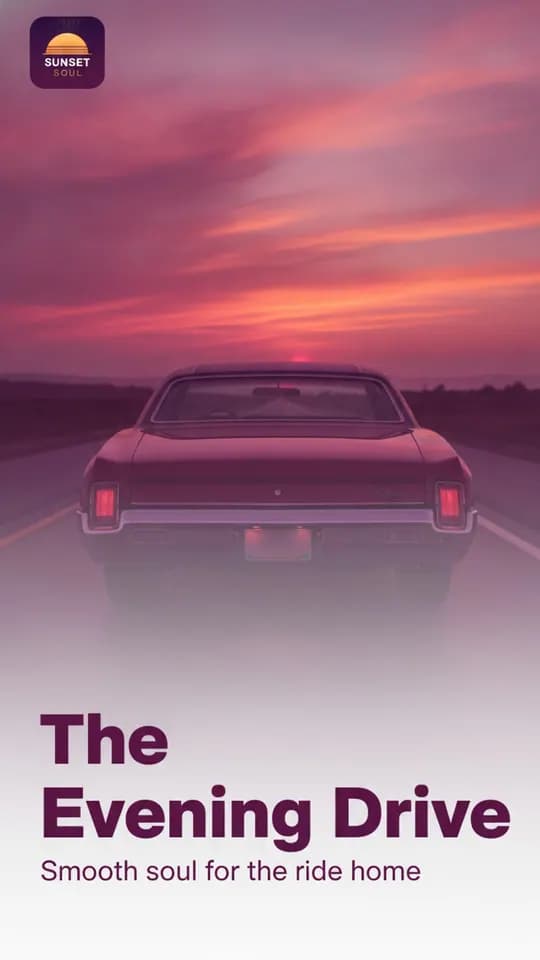
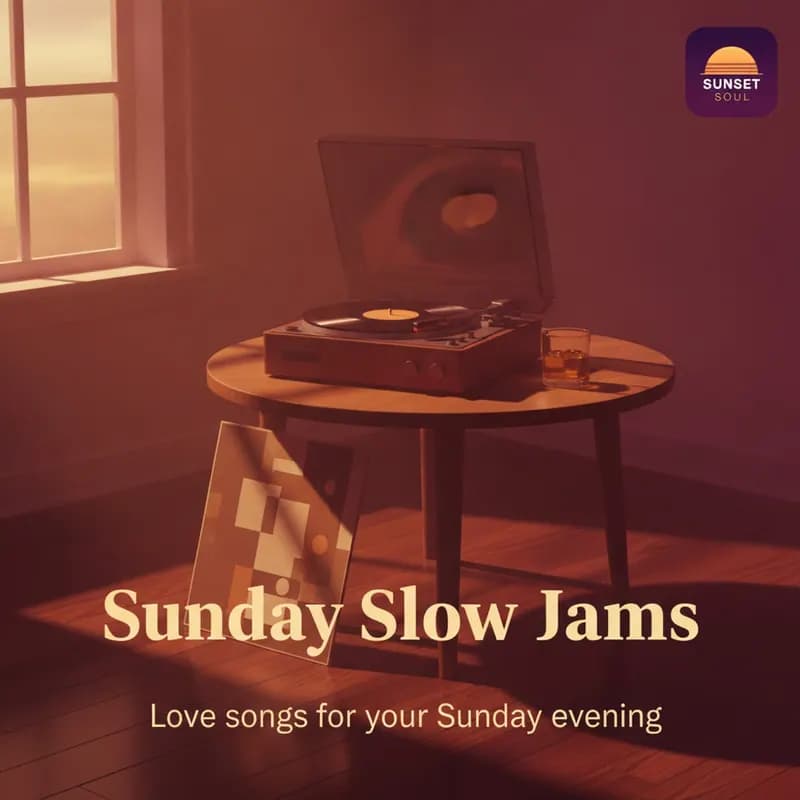
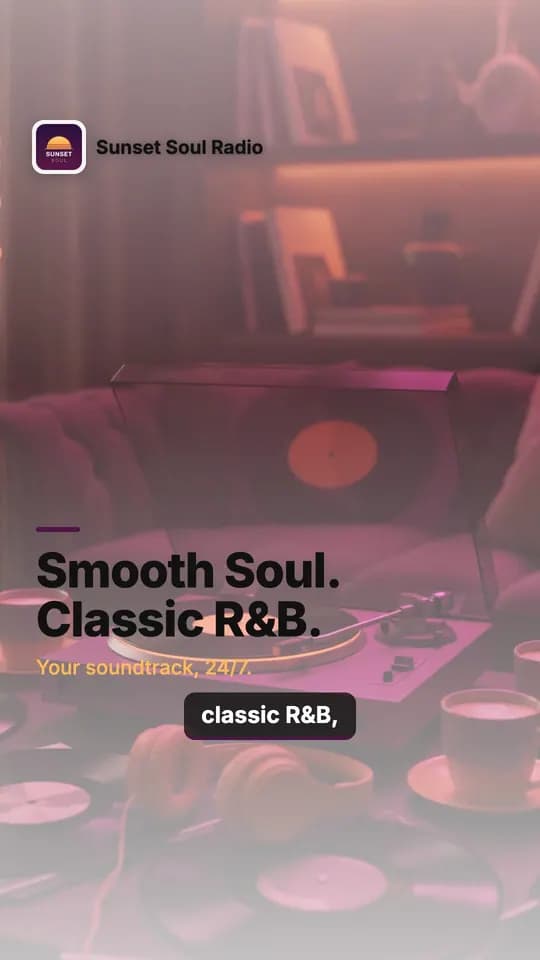
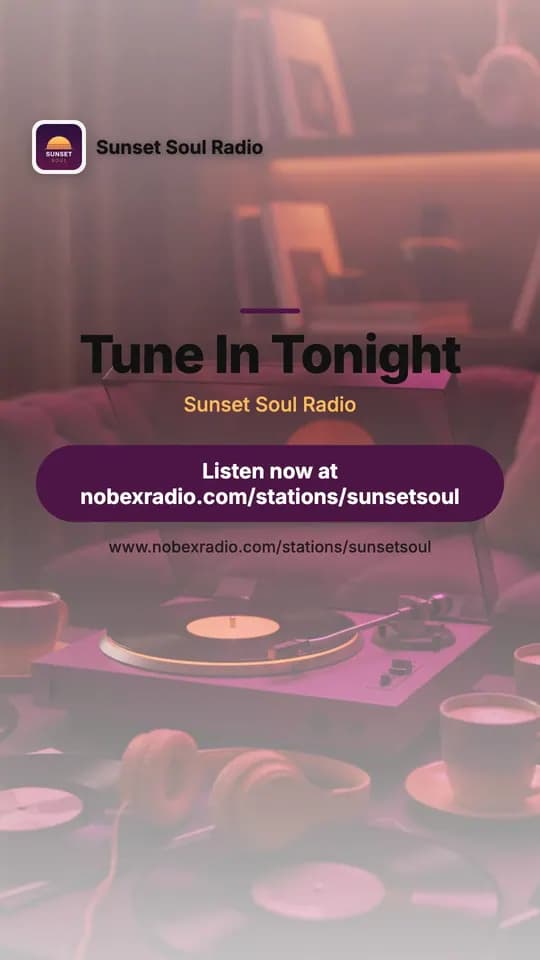
Made by Promo Studio for our demo station, Sunset Soul Radio. Not retouched.
Promoting a station is a second job. Now it takes minutes.
Doing it yourself
- You know you should post every day, and there is never time.
- One picture in a design app takes an hour, and it still looks homemade.
- A voice artist for a station ID costs money and takes days.
With Promo Studio
- A ready-to-post image in about 20 seconds.
- A short video with a voiceover and captions in a minute or two.
- A station ID or promo read by a professional-sounding voice, in 18 languages.
It already knows your station
That is why what it makes looks like yours and not like a stock template.
Your name, logo and colours
Your station’s name, description, genre and logo go into everything it makes. Your logo is placed as it is, never redrawn.
It writes the words too
A 3 to 6 word headline, a second line, a caption with your listen link and 5 to 8 hashtags. Change any of it.
Share in one tap
Download it, use your phone’s share sheet, copy the caption, or post straight to WhatsApp, Facebook or X.
Real examples
Three things it makes for you
All of these were made for our demo station from one or two sentences each.
Social images
Post 1080×1080 · Story 1080×1920 · Wide 1920×1080 · about 20 seconds
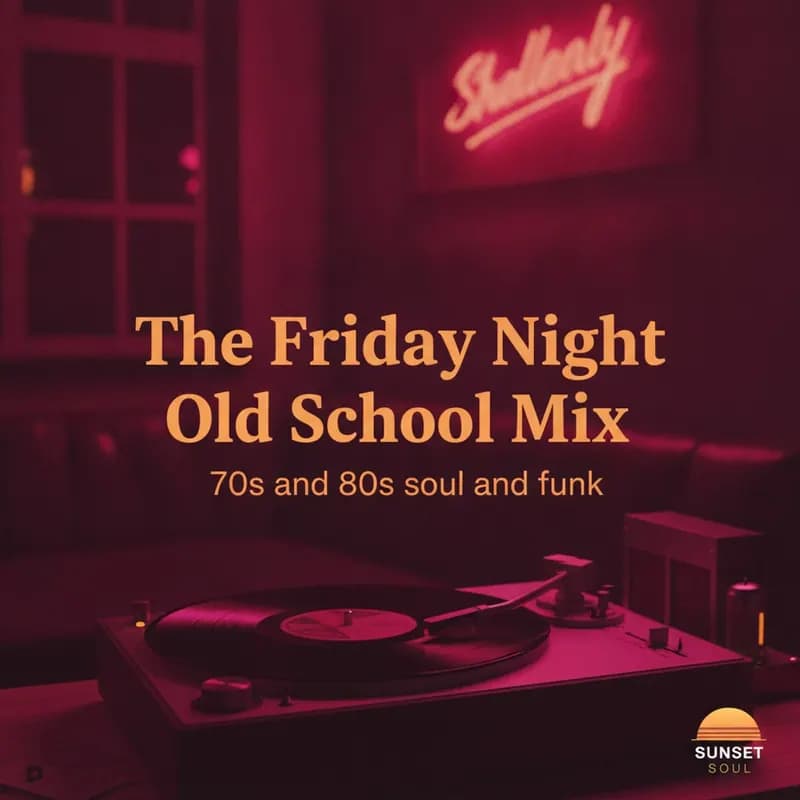
What we typed
“Sunday Slow Jams, every Sunday 7 to 10pm. Classic soul and R&B love songs to end the weekend.”
The caption it wrote
“Wind down your weekend with the smoothest soul and R&B love songs. Sunday Slow Jams is on tonight from 7 to 10pm. Tune in now: nobexradio.com/stations/sunsetsoul”#SundayVibes #SlowJams #SoulMusic #RBNights #LoveSongs #WeekendChill #ChicagoSoul
It also wrote the headline and the second line on the picture, painted the scene in the station’s colours and placed the logo as it is.
Short videos
Vertical for Reels, TikTok, Shorts and Stories, or square · 12 to 45 seconds · about 1 to 2 minutes to make
Scene 1: Smooth Soul. Classic R&B. 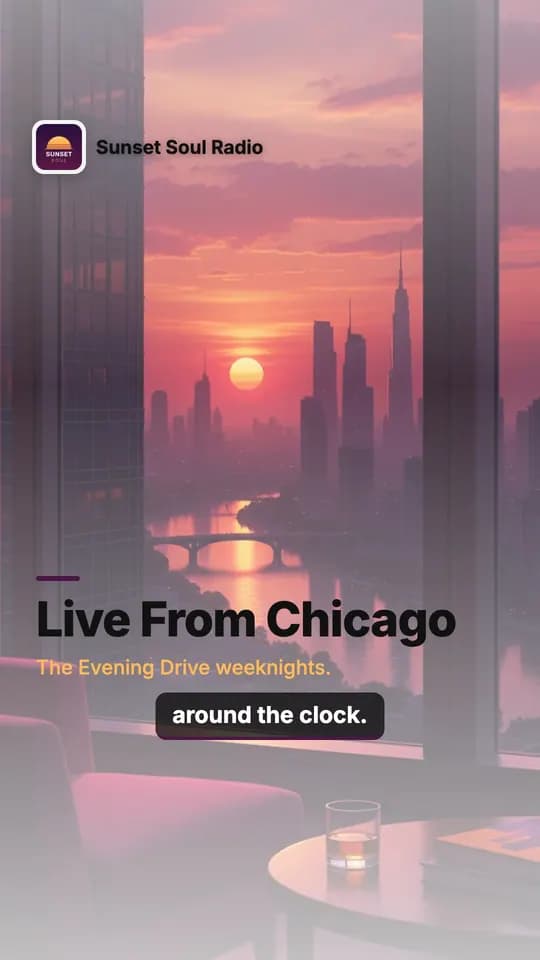
Scene 2: Live From Chicago 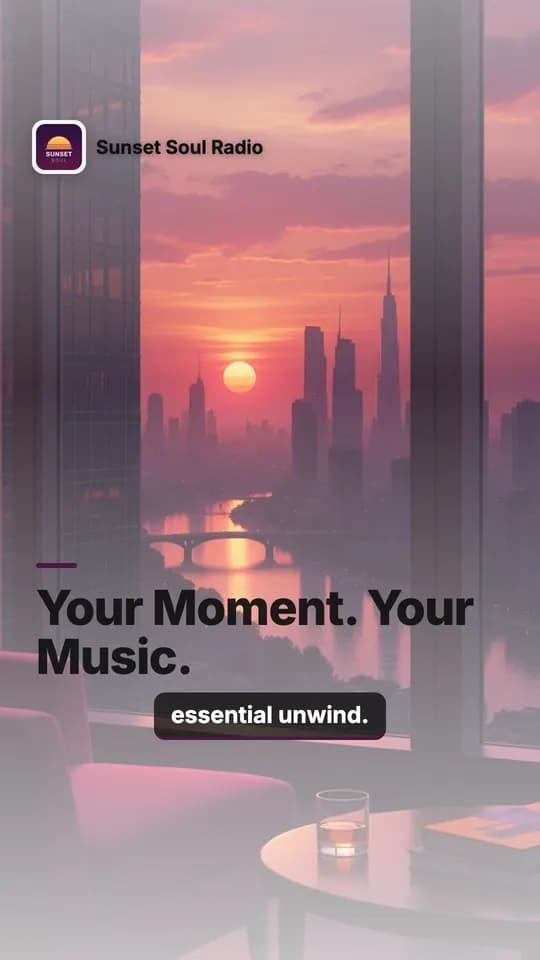
Scene 3: Slow Jams Always On The ending: your listen link
One 20-second video, frame by frame. Promo Studio wrote a storyboard of scenes, recorded the voiceover, timed the captions to the voice, put the logo on every scene and ended on a call to action with the listen link. You can add up to 6 of your own photos.
Voice spots
Station ID (about 5 s) · 15-second promo · 30-second promo · show intro (about 10 s) · social voiceover (about 18 s) · MP3
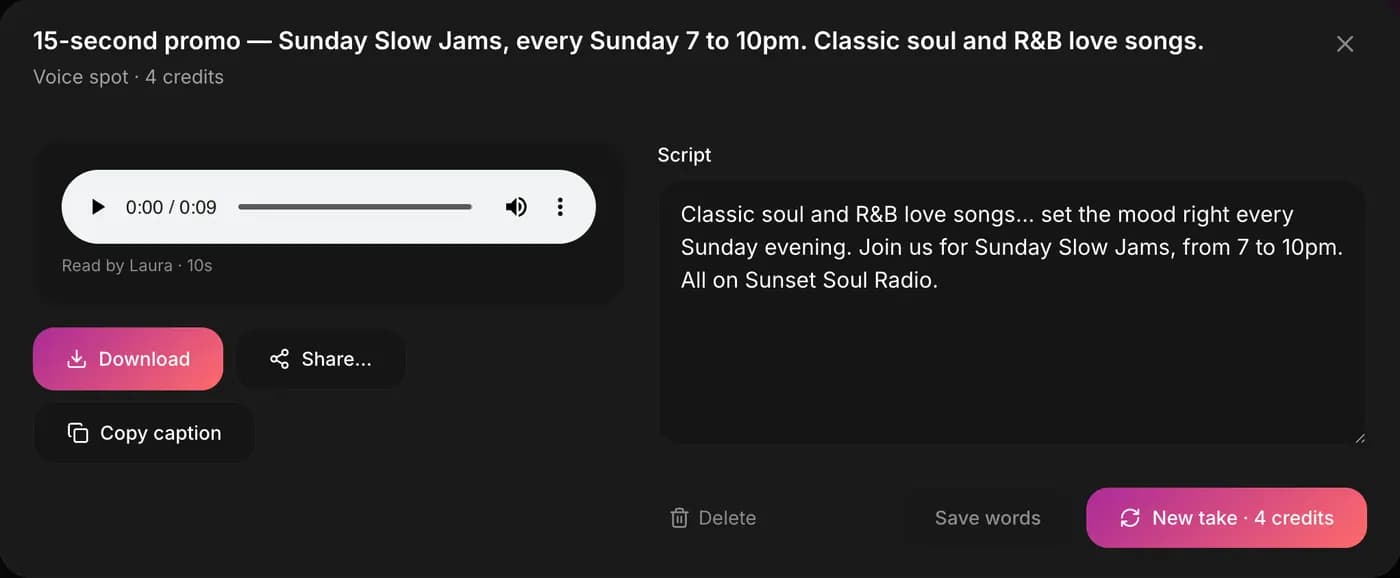
18 languages, male and female voices, and a slider from calm to hyped. You read and edit every word before it is recorded, then play it on air or use it in a video.
How it works
From idea to post in three steps
- 1
Say what to promote
One or two sentences: a show, an event, or just your station. Rough is fine.
- 2
Pick the look or the voice
Seven looks and three shapes for images. 18 languages, male or female, calm or hyped for voice.
- 3
Check it and share it
Change any word, make a new take if you want one, then download or share.
A look inside
Simple enough to use on your phone
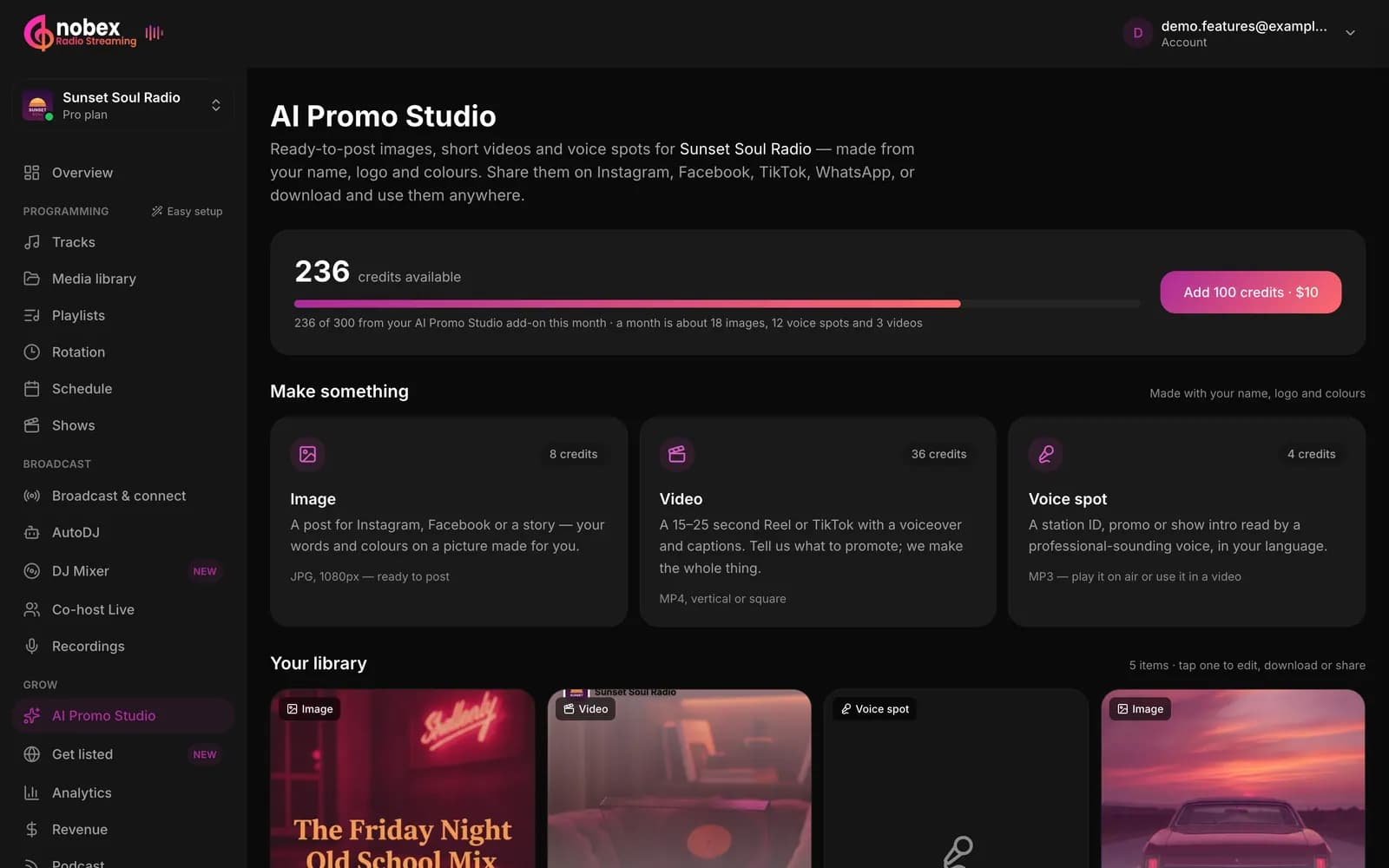
Everything in one place
Your credits, the three things you can make, and everything you have made, ready to download or share again.
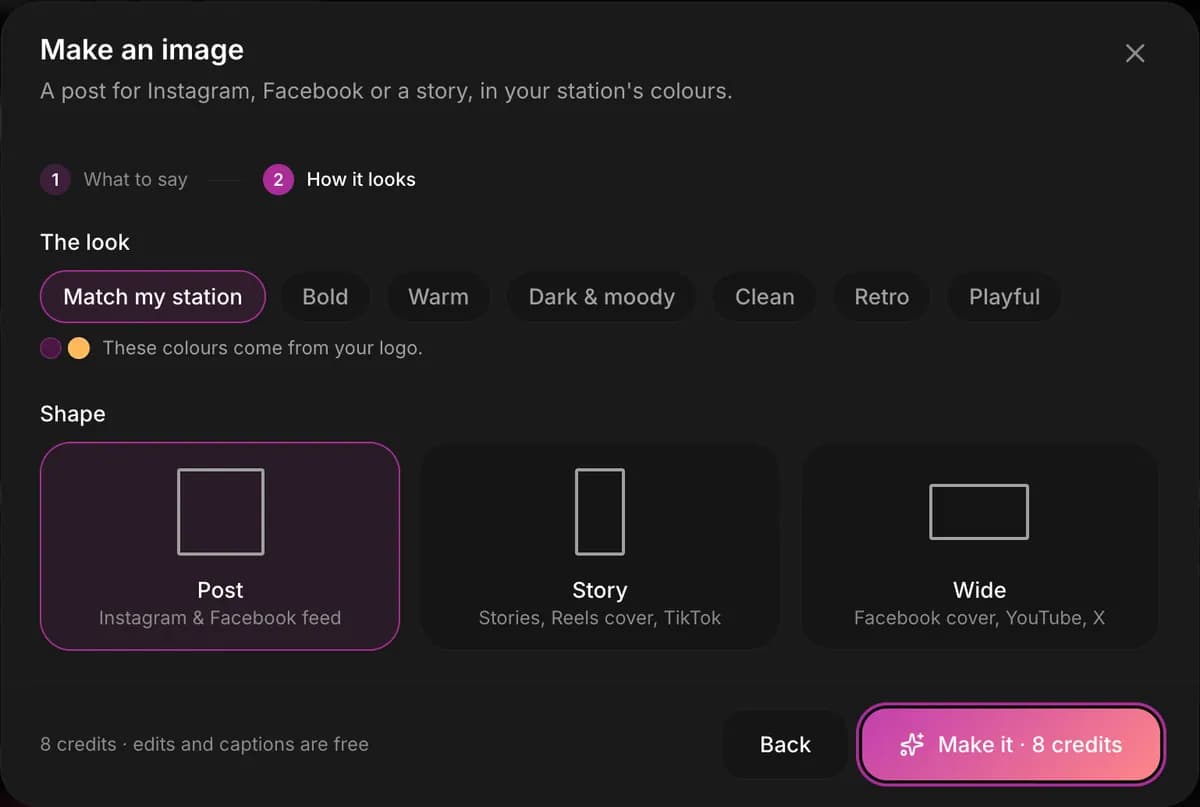
Seven looks, three shapes
Match my station, Bold, Warm, Dark & moody, Clean, Retro or Playful. Post for the feed, Story for Reels and TikTok, Wide for covers and YouTube.
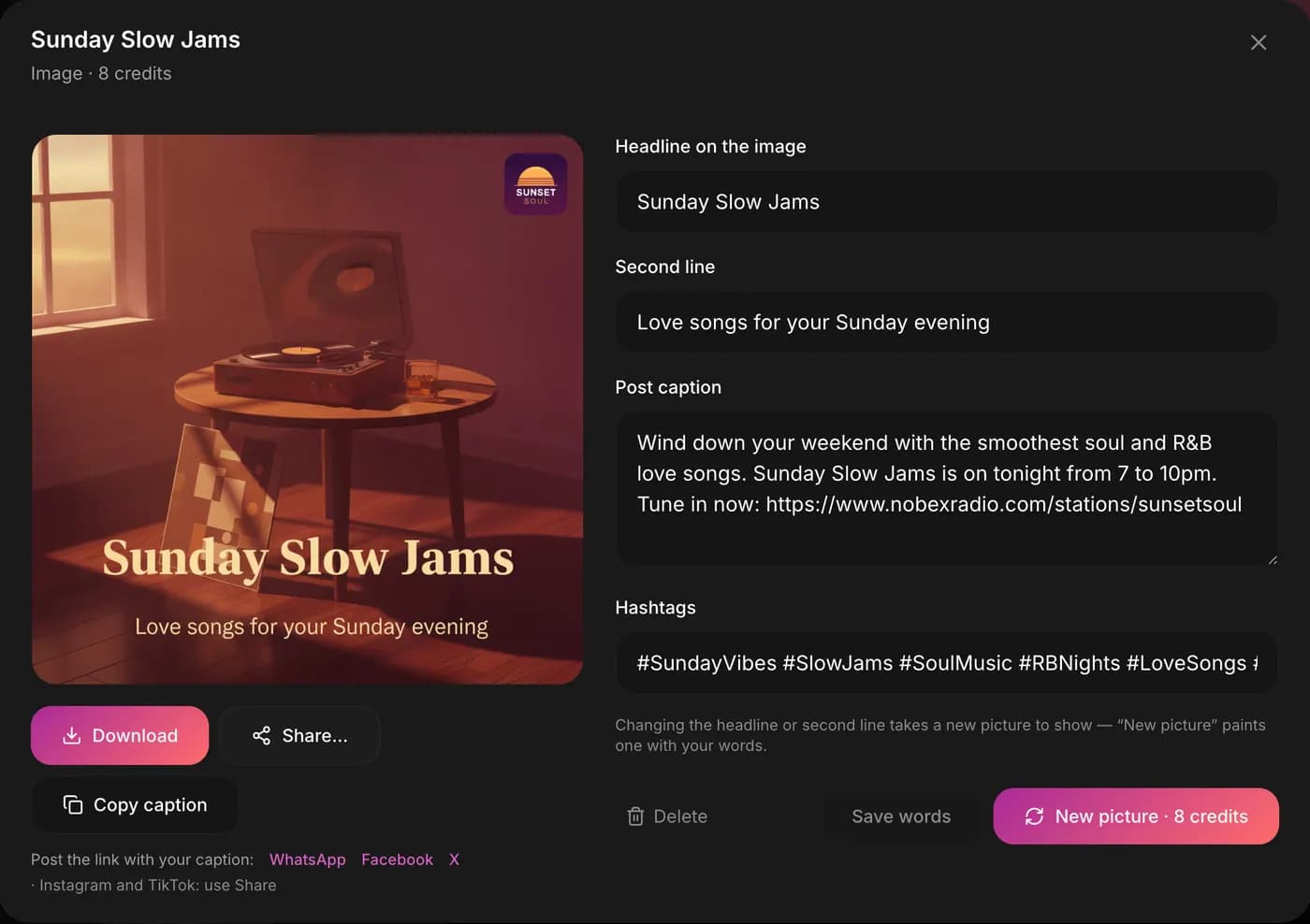
Change the words, keep the picture
Edit the caption and hashtags whenever you like. Copy the caption, or share the picture straight to WhatsApp, Facebook or X.
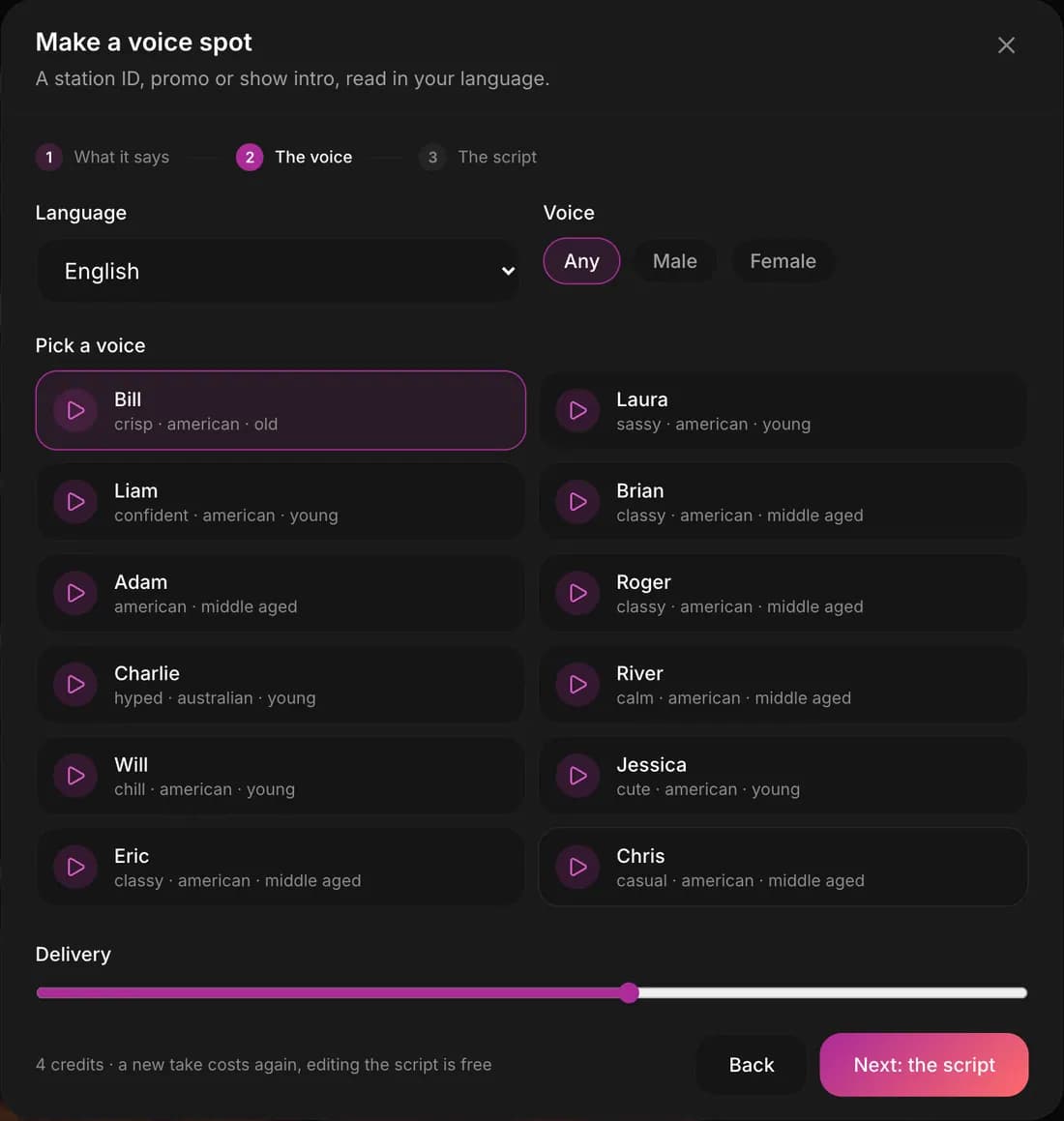
Pick the voice, set the mood
Hear each voice before you choose it, then slide the delivery from calm to hyped.
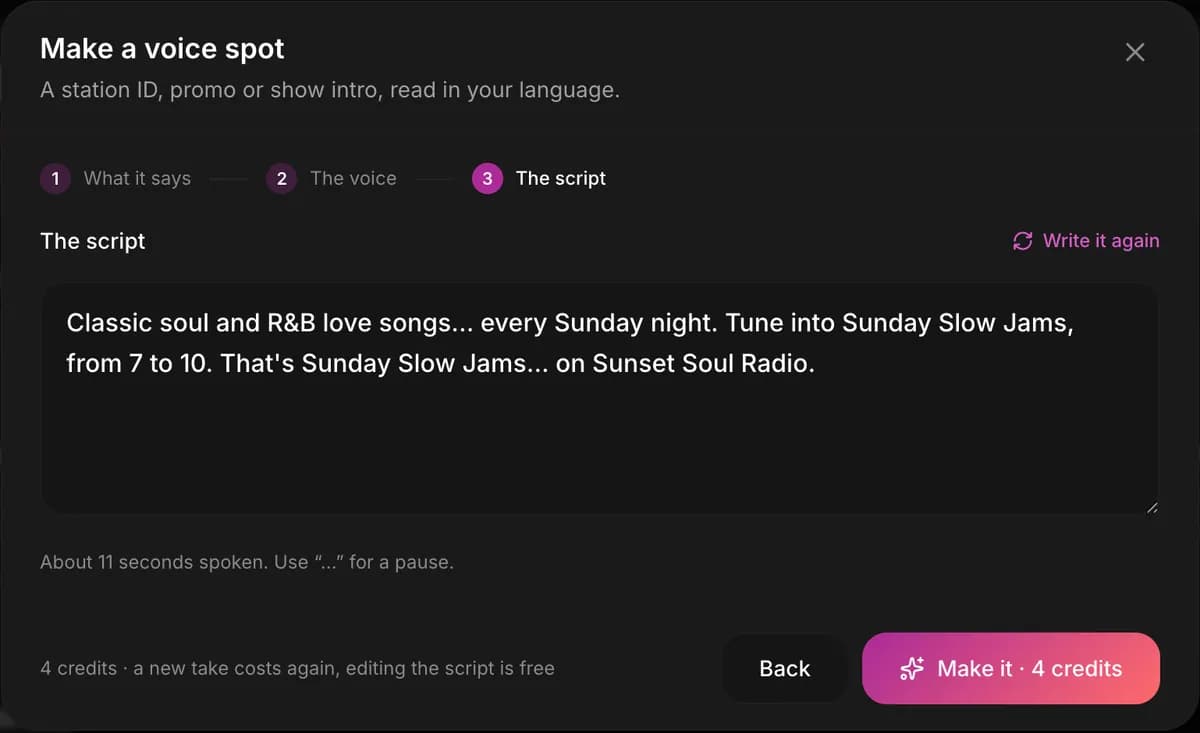
You approve every word
Promo Studio writes the script from your idea and tells you how long it will run. Change anything before it is recorded.
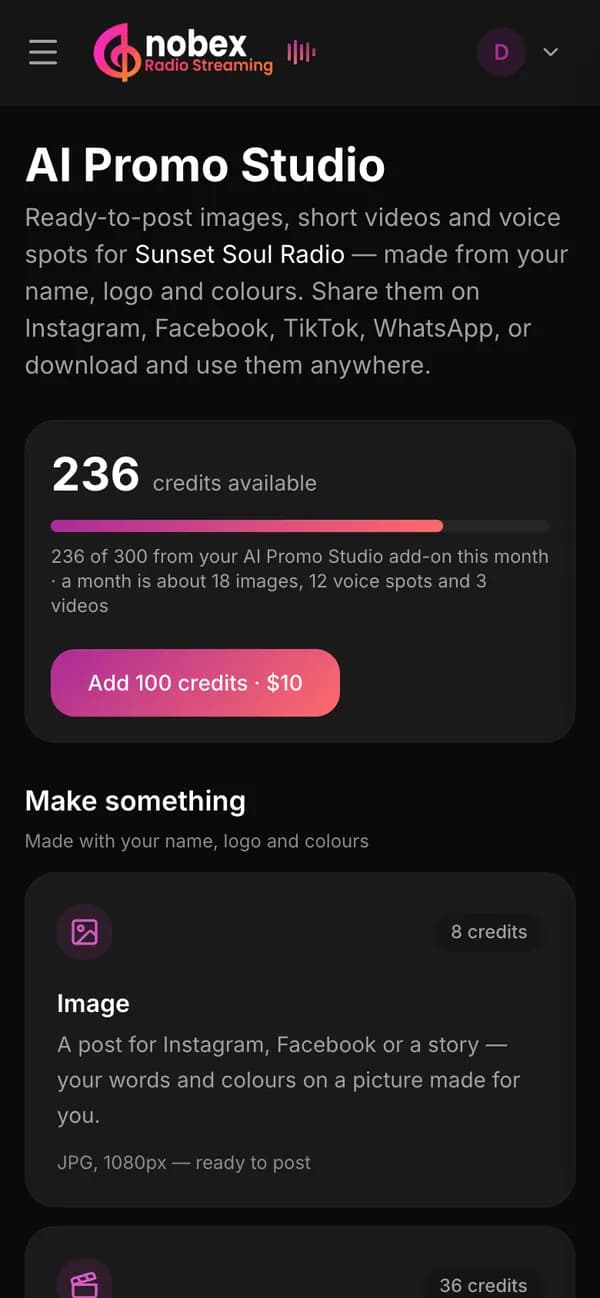
Works on your phone
Make a post on your lunch break and share it from the same screen.
What it replaces
Doing it the usual way
- A design app and an hour for every post
- A video editor to time the captions by hand
- A voice artist booked days ahead for every station ID
- Writing captions and hunting for hashtags yourself
Promo Studio
- Included in Pro, with 300 credits every month
- An image in about 20 seconds, a video in a minute or two
- Voice spots in 18 languages, whenever you need one
- Headline, caption and hashtags written for you
Pricing
Included in Pro. Your first one is free.
Pro plan
$49/monthor $490 a year
300 Promo Studio credits every month.
That is about 37 images, or 75 voice spots, or 8 videos a month, or any mix of them.
Pro also includes AI Show Studio (5 hours a month), your station website, the DJ Mixer and your own app at a reduced price.
Start free and make your first oneWhat each one costs
- Image
- 8 credits
- Voice spot
- 4 credits
- Video
- 36 credits
Editing captions and scripts is free.
Try it free. Every account makes one image or voice spot free.
Need more? 100 credits for $10, and they never expire.
Business and Enterprise include Promo Studio too. Compare every plan
Questions people ask first
What does Promo Studio cost?
It is included in the Pro plan ($49 a month) with 300 credits every month, and in Business and Enterprise. An image costs 8 credits, a voice spot 4 and a video 36. Every account can make one image or voice spot free to try it.
Can I try it before I pay?
Yes. Start your 7 days free, no card needed, and make your first image or voice spot free. The free one can be an image or a voice spot, not a video.
Do I need design skills?
No. Write one or two sentences about what you want to promote. Promo Studio takes your station’s name, description, genre and logo and does the rest, words included.
Will it change my logo?
No. Your logo is placed on the picture exactly as it is. It is never redrawn.
Can I change what it made?
Yes. Change the headline, second line, caption and hashtags of an image. Edit every word of a voice script before it is recorded. Change the words of a video and render it again.
Which languages can the voice spots speak?
18 languages, with male and female voices. You can hear each voice before you pick it, and slide the delivery from calm to hyped.
Can I use my own photos in a video?
Yes, up to 6 of them. Or let Promo Studio paint the scenes for you.
Where can I post what I make?
Anywhere. Images are JPG, videos MP4 and voice spots MP3. Post them on Instagram, Facebook, TikTok, YouTube Shorts or WhatsApp, and play voice spots on air.
What happens to credits I don’t use?
The 300 credits that come with Pro are for that month, and a fresh 300 arrive the next month. Credits you buy as a top-up (100 for $10) never expire.
Can I cancel?
Yes, any time from your dashboard. Your first payment has a 7-day money-back guarantee.
Your next post is 20 seconds away
Start free, make your first image or voice spot free, and post it today.
- 7 days free, no card
- 7-day money-back guarantee on your first payment
- Cancel any time