A website for your station that never stops playing
Pick one of 10 radio designs and tap “Use my logo colours”. Your Home, Shows, Schedule, Playlist and Contact pages are made for you, filled from your station. Visitors click around and the music keeps going.
7 days free, no card · Included in Pro ($49/month) or $16/month on Starter
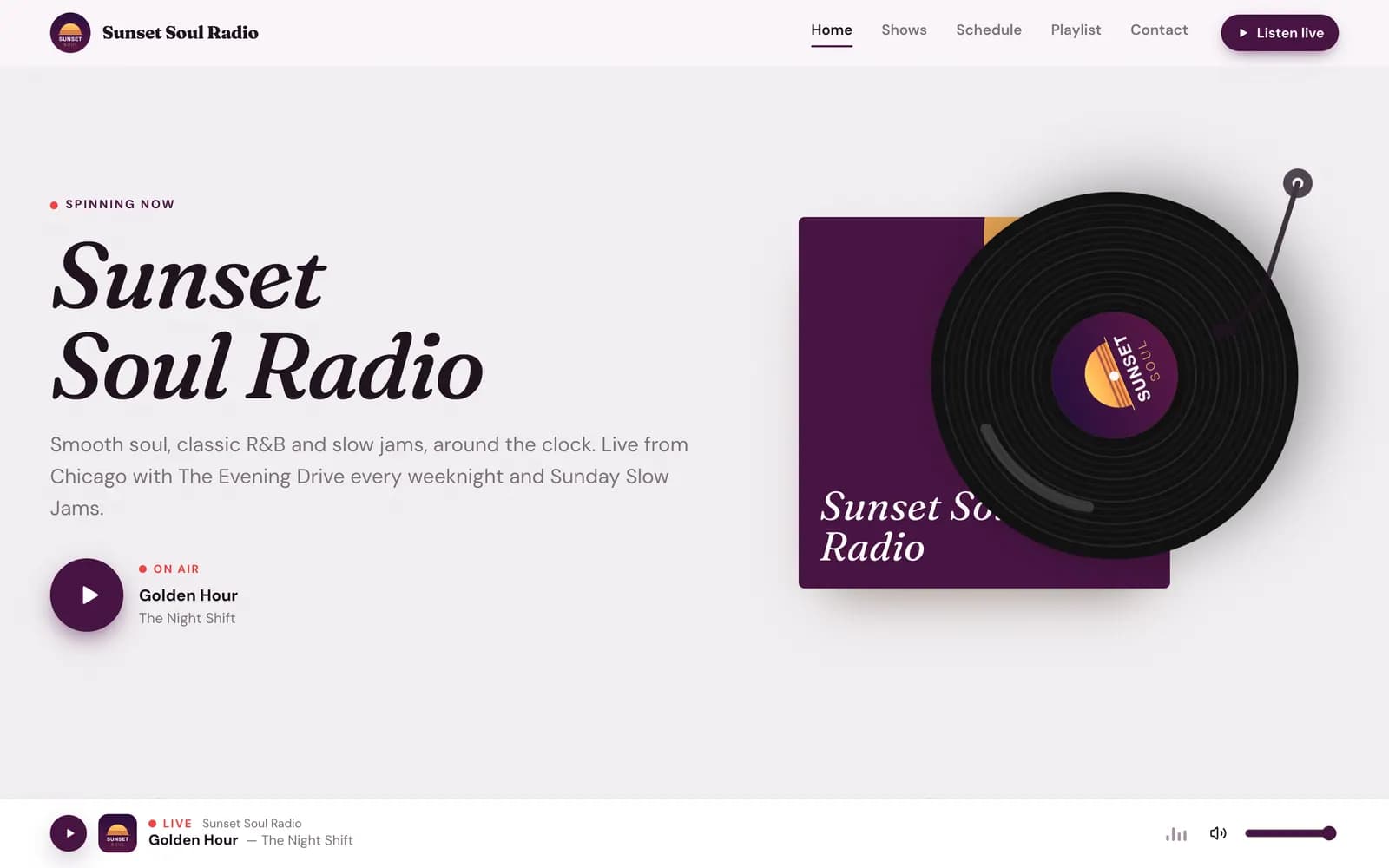
A real site made with the Vinyl design for our demo station.
Your listeners click a page. The music stops.
A normal website builder
- The embedded player stops every time a visitor opens another page.
- You type the schedule and the shows in by hand, and they go out of date.
- It is one more bill every month, and one more login.
Your Nobex station website
- The player is built in and keeps playing from page to page.
- Now playing, recently played, schedule and shows update themselves from your station.
- It comes with Pro. Same login as your station.
Made for radio, not for a bakery
Everything a station site needs is already there when you open it.
It keeps playing
Visitors go from Home to Schedule to Contact and the music never cuts out. That is when they stay and listen.
It updates itself
What is on now, the songs just played, today’s shows. Your site always matches your station, without you touching it.
It looks like you
10 designs made for radio, re-coloured from your logo in one tap, with pictures painted in your colours.
How it works
Live in three steps
No designer, no developer, no copying and pasting.
- 1
Pick a design
Choose one of 10 radio templates. Preview each one before you decide, on a phone or a laptop.
- 2
Use your logo colours
One tap reads the colours from your logo. Your pages are made and filled in from your station.
- 3
Publish
Send a private review link first if you like. Then publish to yourname.nobexradio.com or your own domain.
10 designs
One for every kind of station
Gospel, hip-hop, talk, late night, community, Latin. Every design takes your colours, so none of them looks like a template.
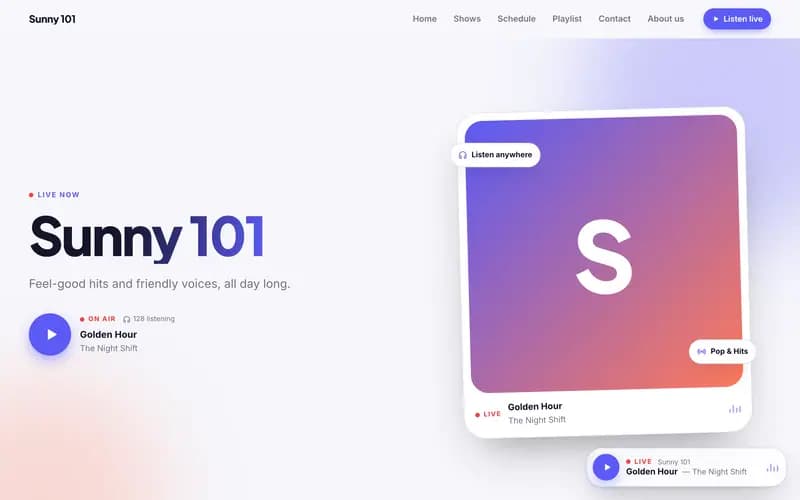
Airwave
Pop, talk, community
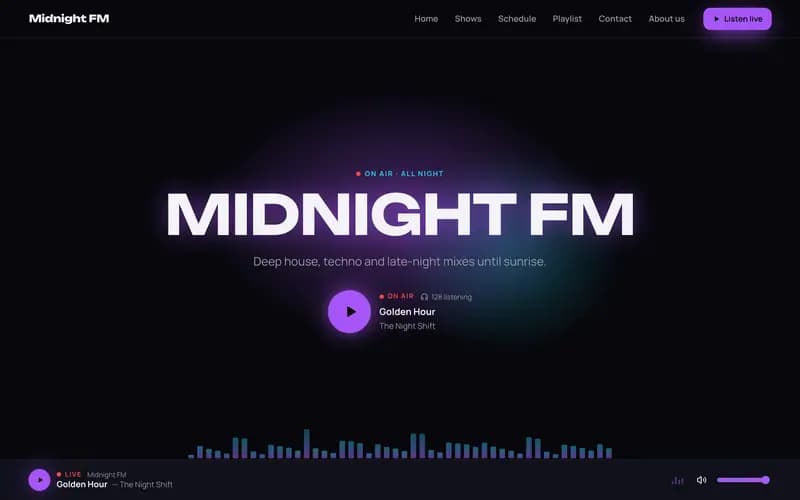
Midnight FM
Dance, EDM, late night
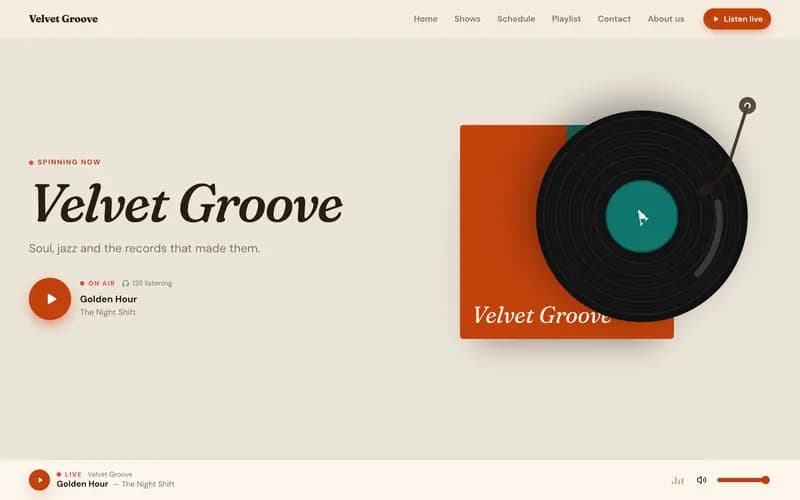
Vinyl
Soul, jazz, oldies
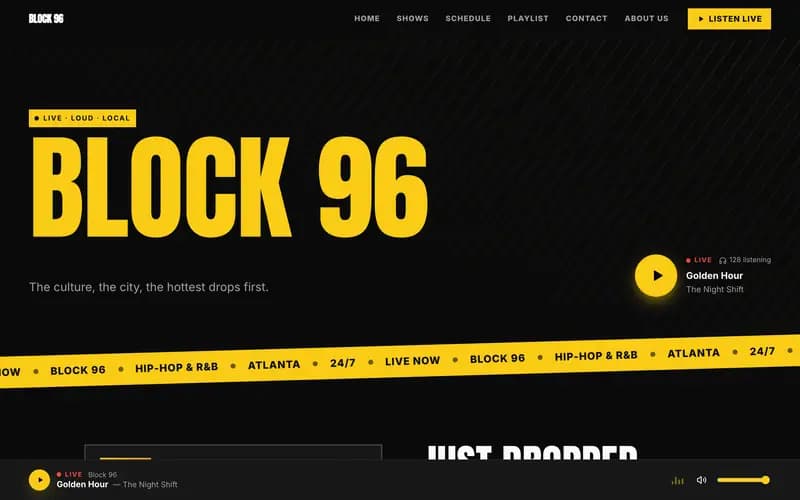
Pulse
Hip-hop, R&B
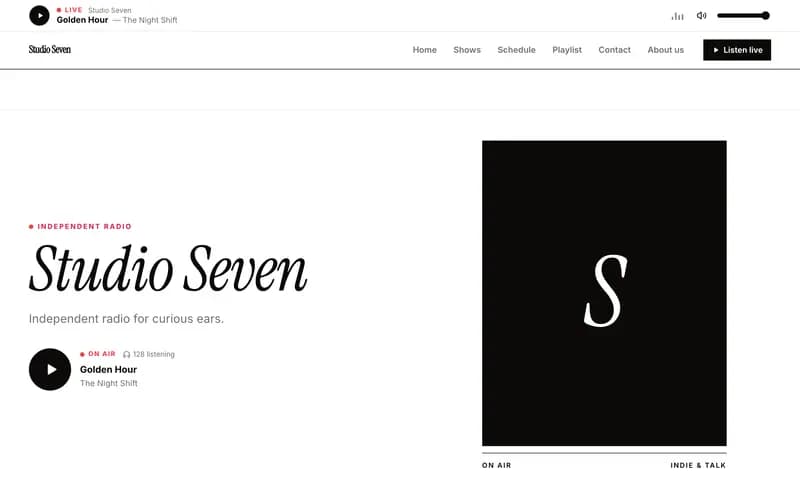
Studio
Indie, culture
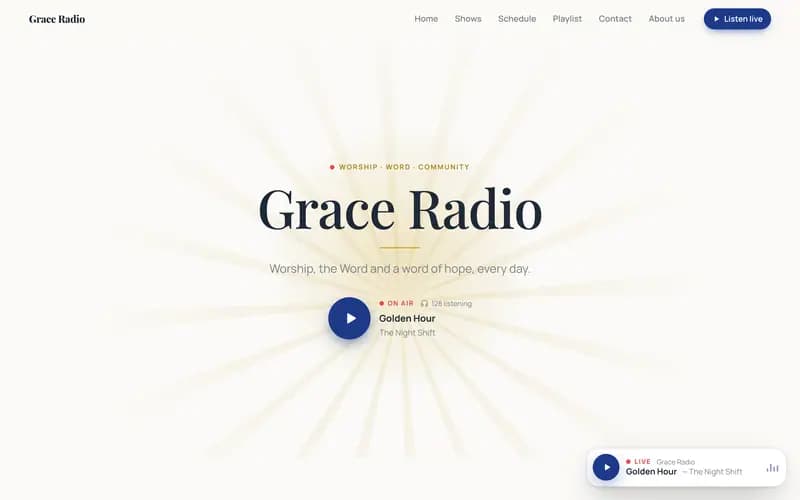
Sanctuary
Church, gospel
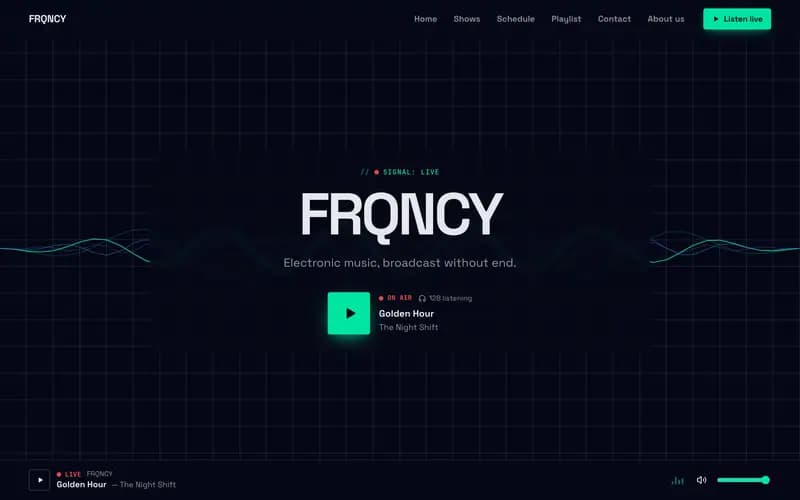
Frequency
Electronic
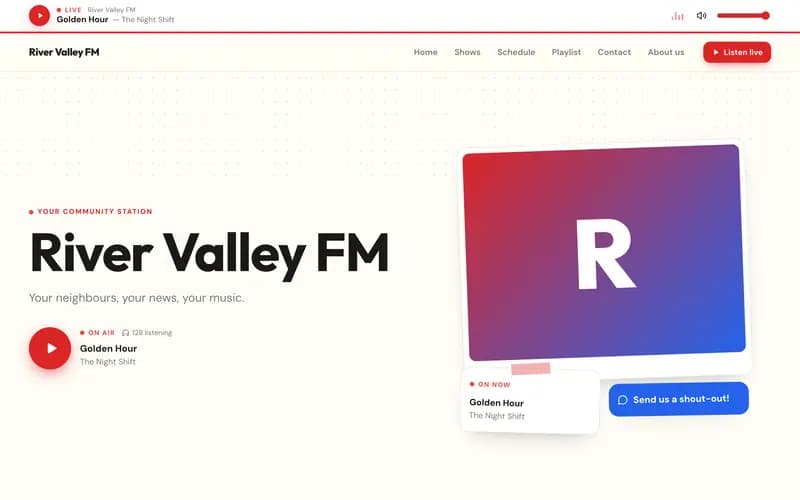
Hometown
Community, local
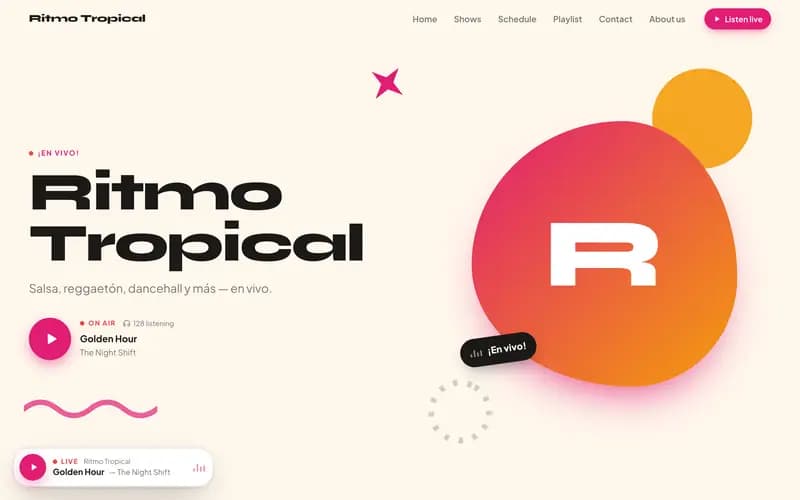
Carnival
Latin, Afrobeats
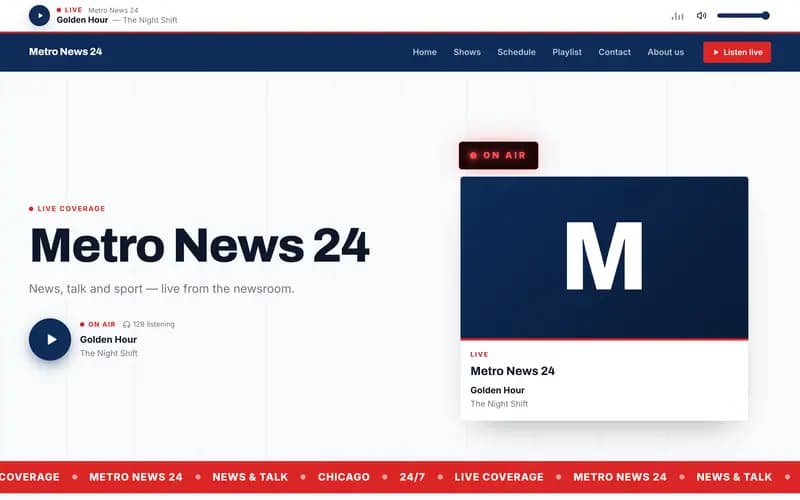
Broadcast
News, talk, sport
A look inside
Everything you can do with it
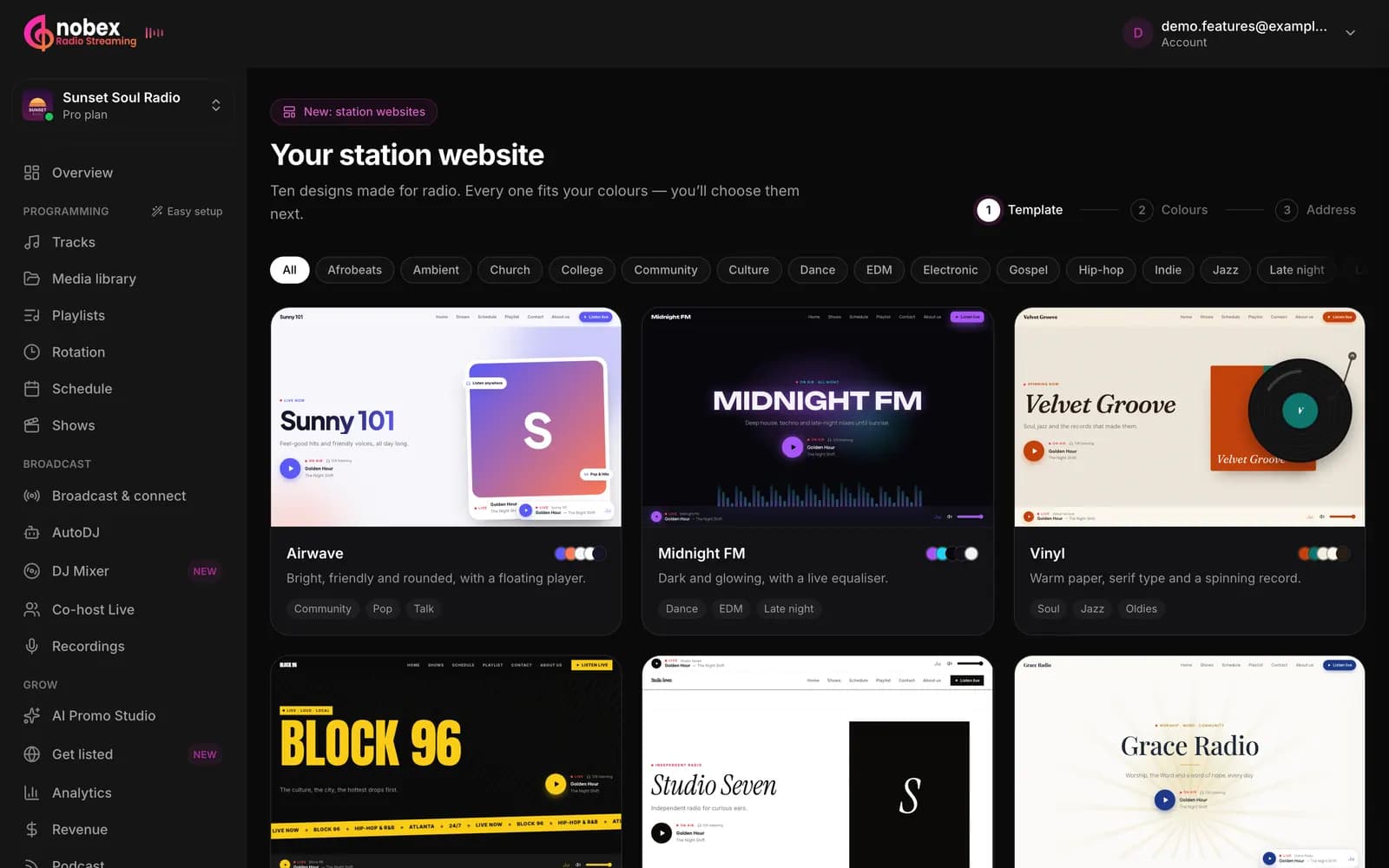
Start from a gallery made for radio
Each design shows your station’s name the moment you open it. Filter by your genre and preview any of them full screen.
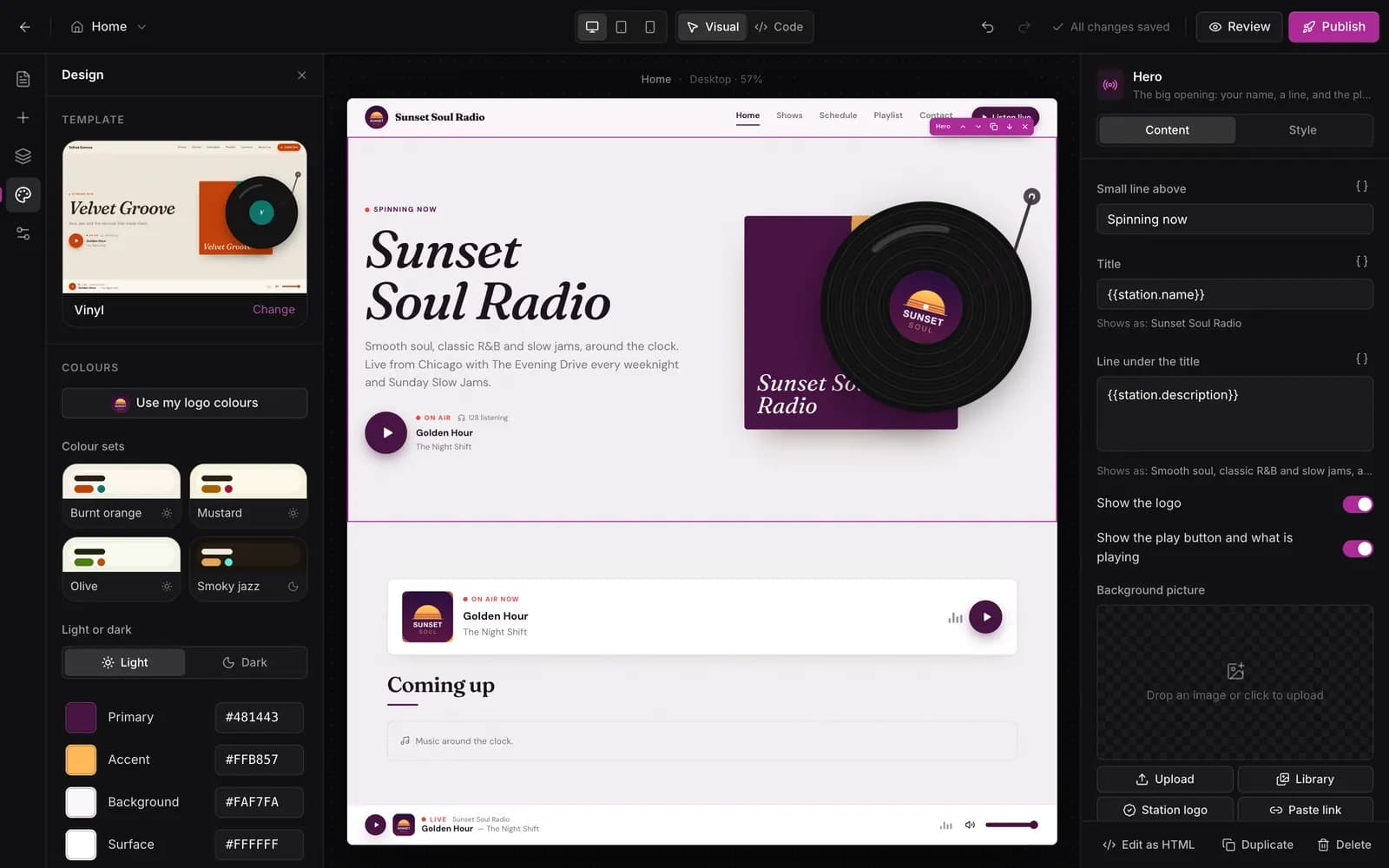
Click anything to change it
Click a heading, a picture or a button on the page and edit it on the right. Add sections and columns, text, images and buttons wherever you want them.
- Add About us, The team, Our hosts, Articles or a blank page
- Words like your station name fill themselves in
- Every change is saved as you go
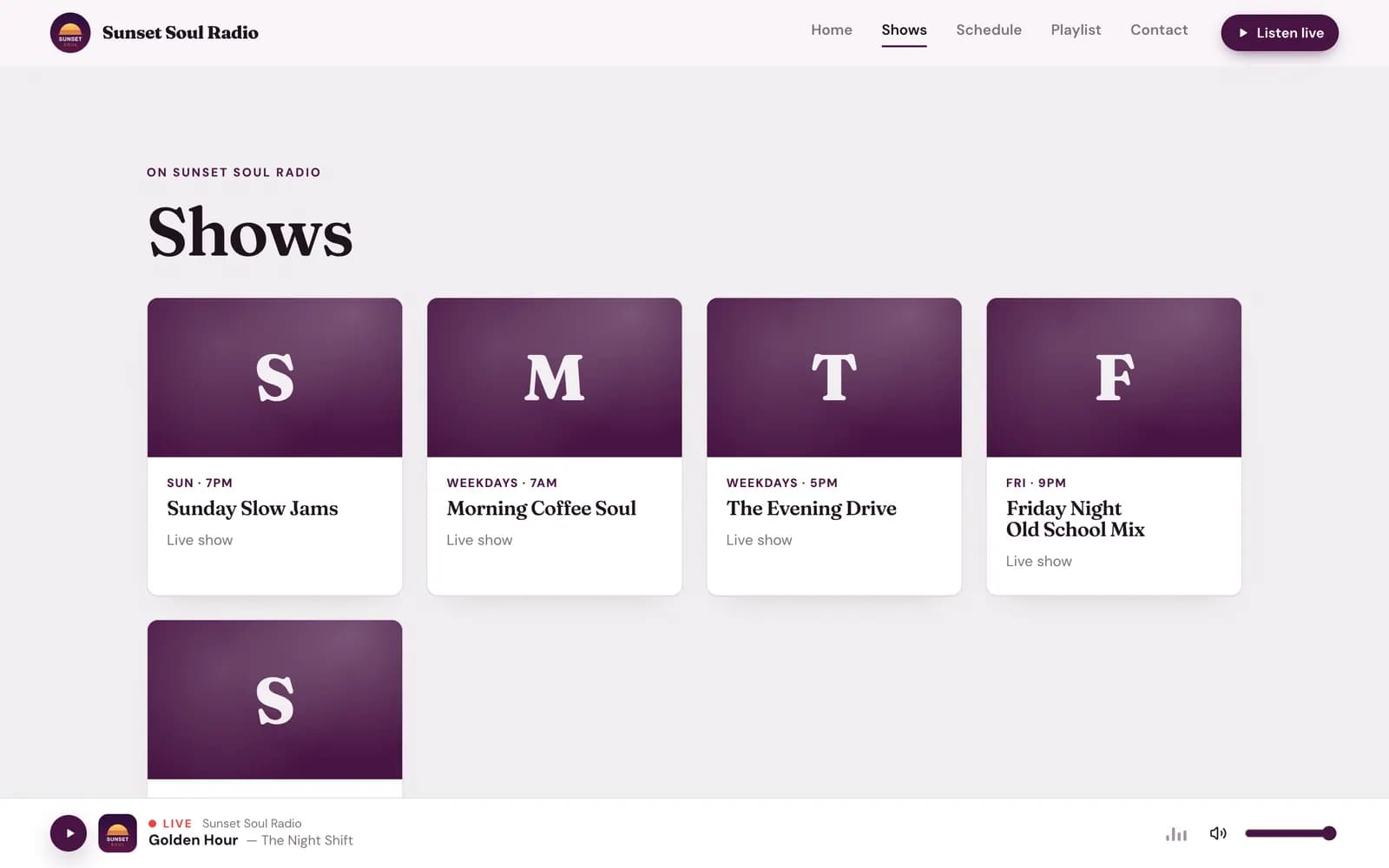
Your shows and schedule, already filled in
The Shows and Schedule pages read your station’s schedule. Change a show in your dashboard and the site changes with it. What is on now is marked for your visitors.
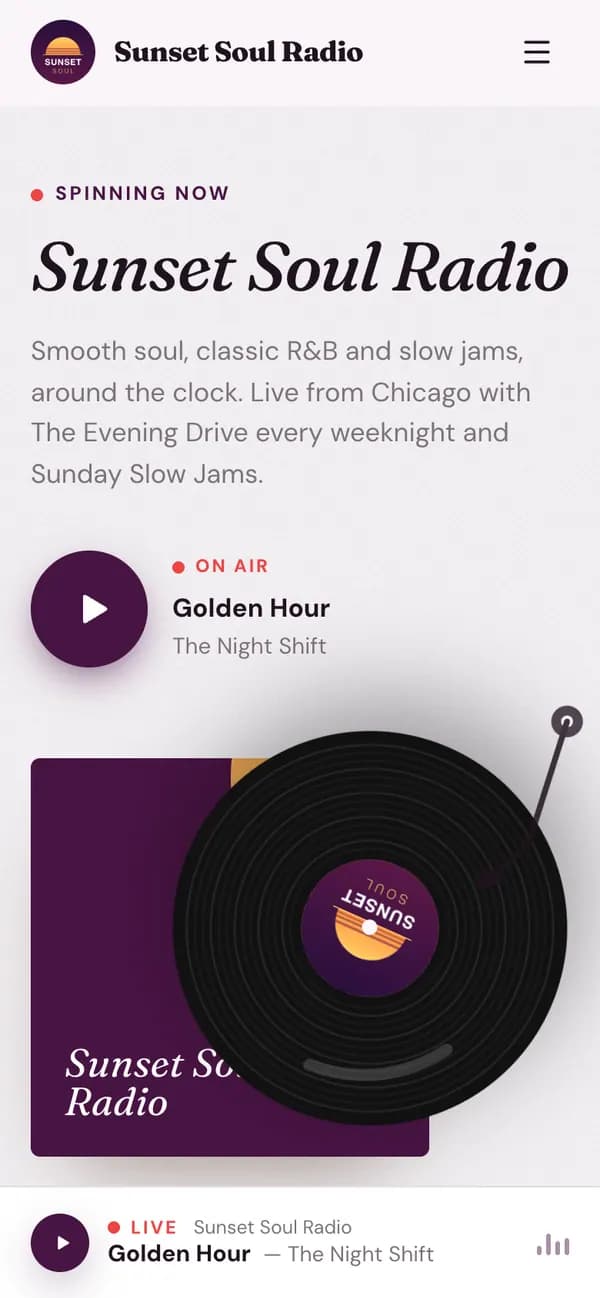
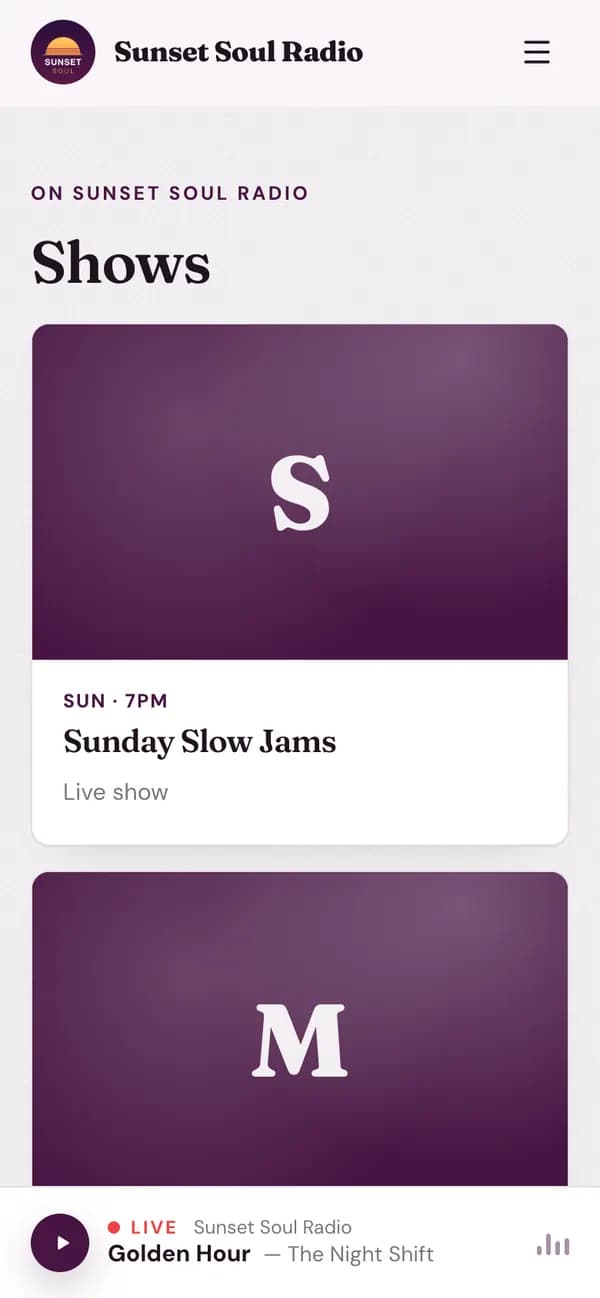
Right on every phone
Most of your listeners will visit on a phone. Switch between phone, tablet and desktop while you edit, and see exactly what they will see.
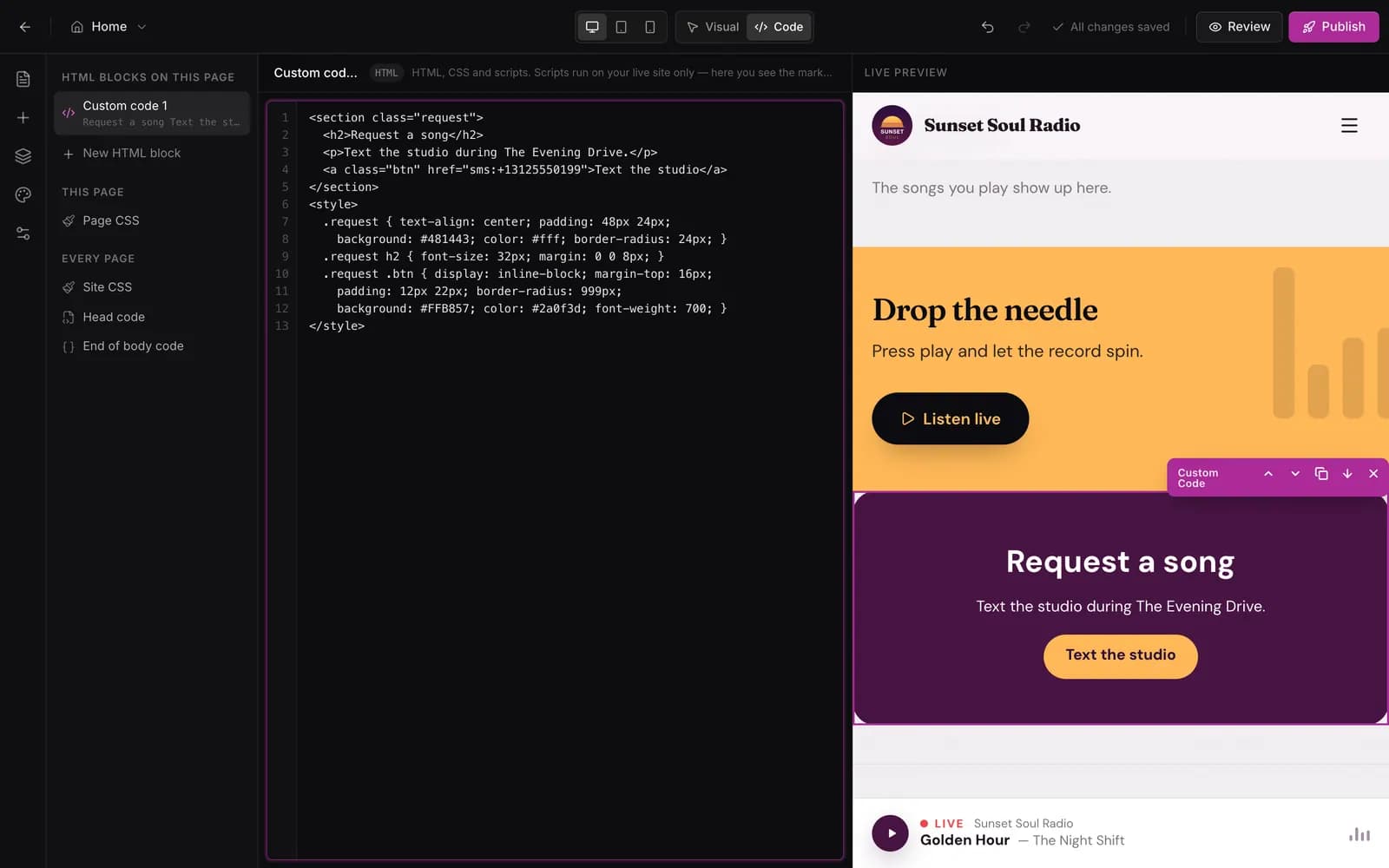
Want full control? There is a Code mode
Add your own HTML, CSS and JavaScript next to the visual editor, and see the result live. Paste your Google Analytics and Meta pixel IDs, or add scripts to the head and the end of the page.
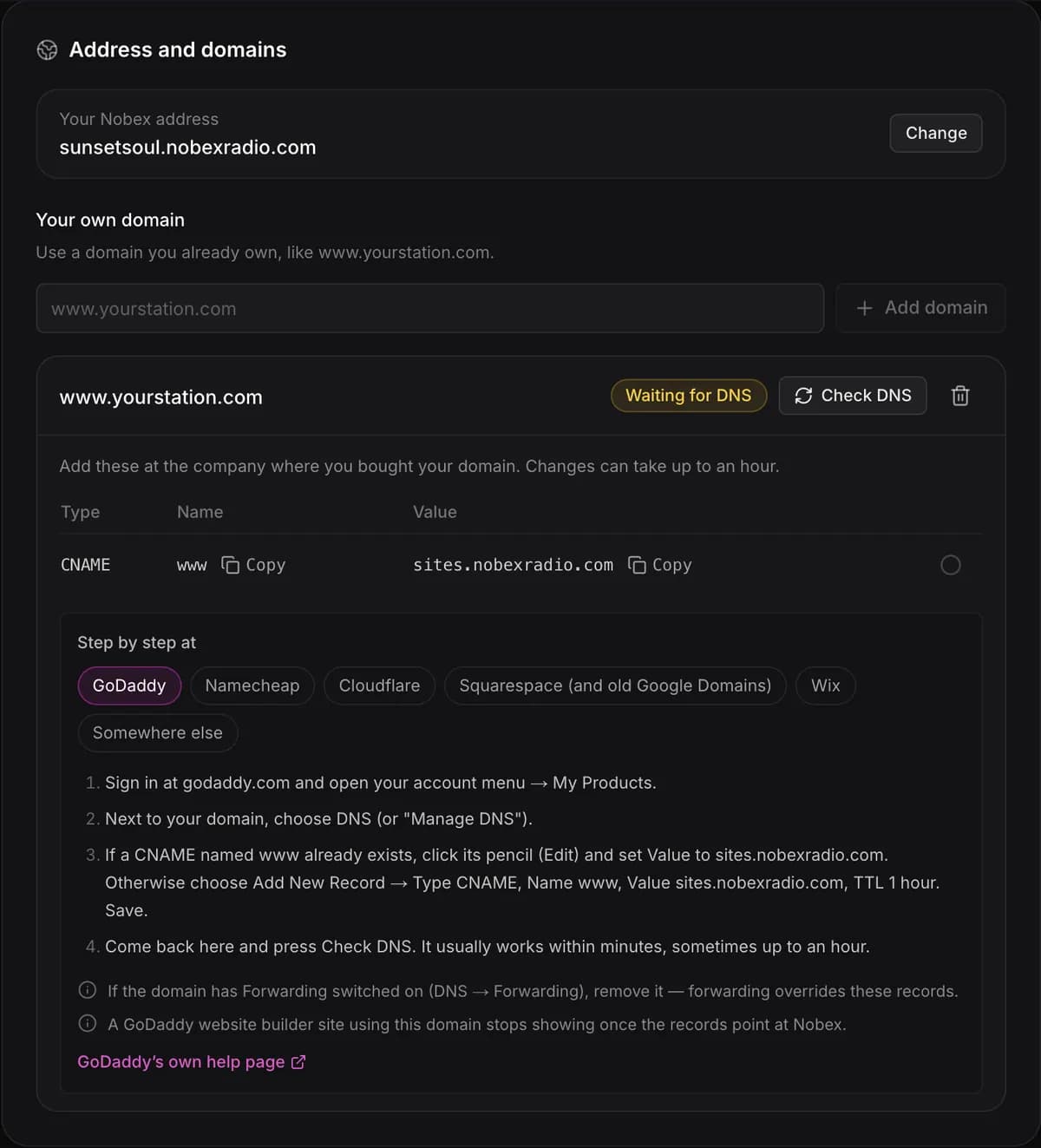
Your own domain, with steps for your provider
Use your free nobexradio.com address, or connect a domain you own. We show the exact DNS steps for the company that runs it, with your values filled in, and set up HTTPS for you.
- GoDaddy, Namecheap, Cloudflare
- Squarespace (and old Google Domains), Wix
- Or anywhere else, step by step

Publish without worrying
Changes stay in a draft until you publish. Every published version is kept, so you can look at any of them and put one back live in one click.
What you get
Everything in your station website
- Home, Shows, Schedule, Playlist and Contact pages, made for you
- About us, The team, Our hosts, Articles and blank pages when you want them
- A live player that keeps playing between pages
- Now playing, recently played, schedule and shows that update themselves
- A contact form that sends messages to your email, spam filtered out
- A visual editor, plus Code mode for your own HTML, CSS and JavaScript
- Google Analytics and Meta pixel fields, head and body scripts
- Phone, tablet and desktop preview
- A private review link before you publish
- Full history with one-click rollback
- SEO built in: page titles and descriptions, sitemap, structured data
- yourname.nobexradio.com, or your own domain with HTTPS
- Pictures painted in your colours by AI
- 20,000 visits a month included
Why not a separate website builder?
A website builder plus an embedded player
- Another bill every month, on top of your streaming
- The player stops each time a visitor changes page
- Schedule and shows typed in by hand, and kept up to date by hand
- Templates made for shops and restaurants, not radio
Your Nobex station website
- Included in Pro, or $16 a month on Starter
- The player is part of the site and keeps playing
- Schedule, shows and now playing come from your station
- 10 designs made for radio, in your logo’s colours
Pricing
Two ways to get your website
Build and preview it free in your 7 days. Pick one of these when you are ready to publish.
Pro plan
$49/month
or $490 a year
Your website is included, plus:
- AI tools: Promo Studio (300 credits a month) and AI Show Studio (5 hours a month)
- The DJ Mixer
- Co-host Live, show recording and team accounts
- Your own iOS and Android app at a reduced price
Starter + Website add-on
$35/month
$19 Starter + $16 Website
Your website and everything in Starter.
Pro is $14 more and adds the AI tools and the DJ Mixer.
Start free7 days free, no card. Publishing needs Pro, or Starter with the Website add-on. The small “Powered by Nobex Radio” footer line is removed on Business and Enterprise. Compare every plan
Questions people ask first
What does the website cost?
It is included in the Pro plan, $49 a month ($490 a year). On the Starter plan ($19 a month) you can add it as the Website add-on for $16 a month, so $35 a month in total. Building and previewing your site is free during your 7 days; you only need a plan to publish it.
Do I need design or coding skills?
No. Pick a design, tap “Use my logo colours”, and your pages are already made and filled in from your station. Click any text, picture or button to change it. Code mode is there if you want it, never because you need it.
Can I use my own domain?
Yes. Every site gets an address like yourname.nobexradio.com, and you can connect a domain you already own, like www.yourstation.com. We show step-by-step DNS instructions for GoDaddy, Namecheap, Cloudflare, Squarespace (and old Google Domains) and Wix, with your own values filled in. HTTPS is set up for you.
I already have a website. Why change?
Because an embedded player on a normal website usually stops every time a visitor opens another page, and the schedule there has to be typed in by hand. Here the player is part of the site and keeps playing, and your schedule, shows and now playing update themselves. You can point the domain you already have at it, so listeners keep the address they know.
Will people find my station on Google?
Every page has its own title and description, and the site has a sitemap and structured data that Google can read. Pages load fast and work on phones, which Google looks at too.
How many visitors can it handle?
20,000 visits a month are included. A visit is one person browsing your site, however many pages they open. Going over never switches your site off.
Can I undo a change?
Yes. Your changes stay in a draft until you press Publish, and you can send a private review link to anyone first. Every published version is kept in History, and you can put an earlier one back live in one click.
Where do messages from the contact form go?
Straight to your email, with spam filtered out.
Can I remove “Powered by Nobex Radio”?
The small line in the footer stays on Starter and Pro. It is removed on the Business and Enterprise plans.
Can I cancel?
Yes, any time from your dashboard. Your first payment has a 7-day money-back guarantee.
Give your listeners a website that keeps playing
Build it free today. Pick a design, use your logo colours and see your real pages in minutes.
- 7 days free, no card
- 7-day money-back guarantee on your first payment
- Cancel any time