Open a Google Play account and invite Nobex
Open your developer account, invite the Nobex publishing account, and give us your Account ID.
You invite Nobex the way you would invite a colleague. We never get your password, and you can remove us any time.
1. Open your account
- 1Go to play.google.com/console/signup and sign in with the Google account that should own the app.
- 2Choose An organization or business or Yourself, whichever you chose.
- 3Pay the one-time $25 fee, then confirm your email and phone with the codes Google sends.
- 4Finish Google’s identity check. It can take a few days; you can do step 2 meanwhile.
Personal accounts: one more check
Google asks you to confirm a real Android phone once (Android 10 or later). On the Play Console home page, open the device verification task, scan the code with the phone, install the Play Console app, sign in and tap Verify. A borrowed phone is fine.
2. Invite Nobex
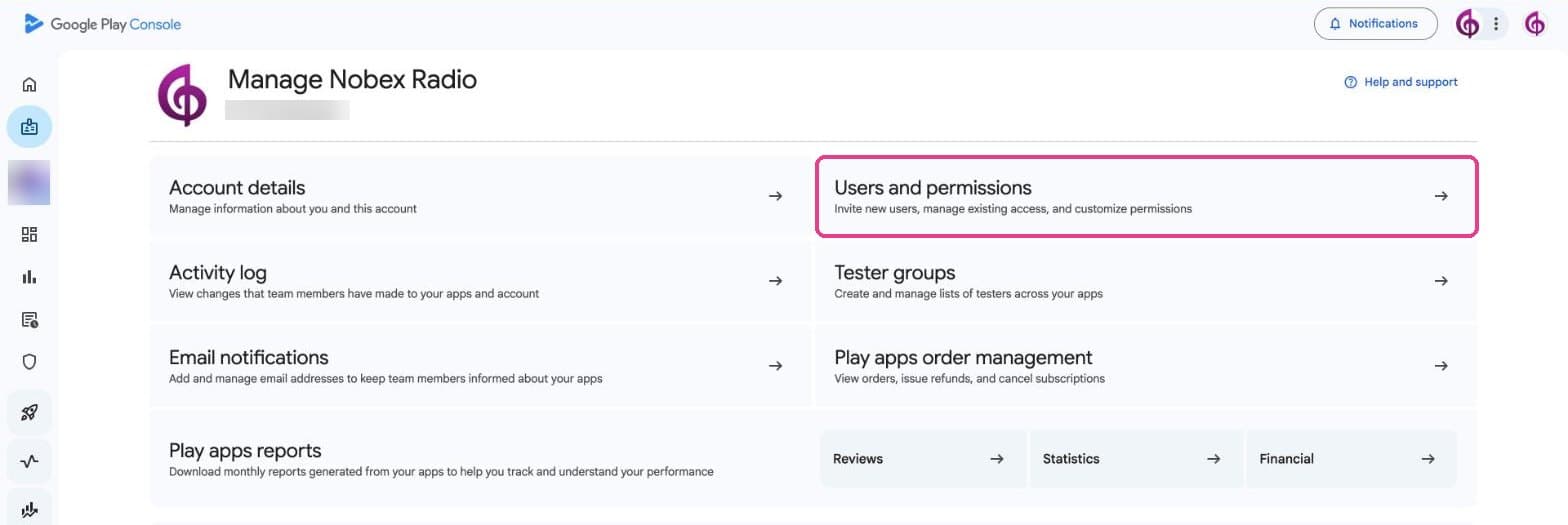
- 1On the Play Console home page, press Manage account, then Users and permissions.
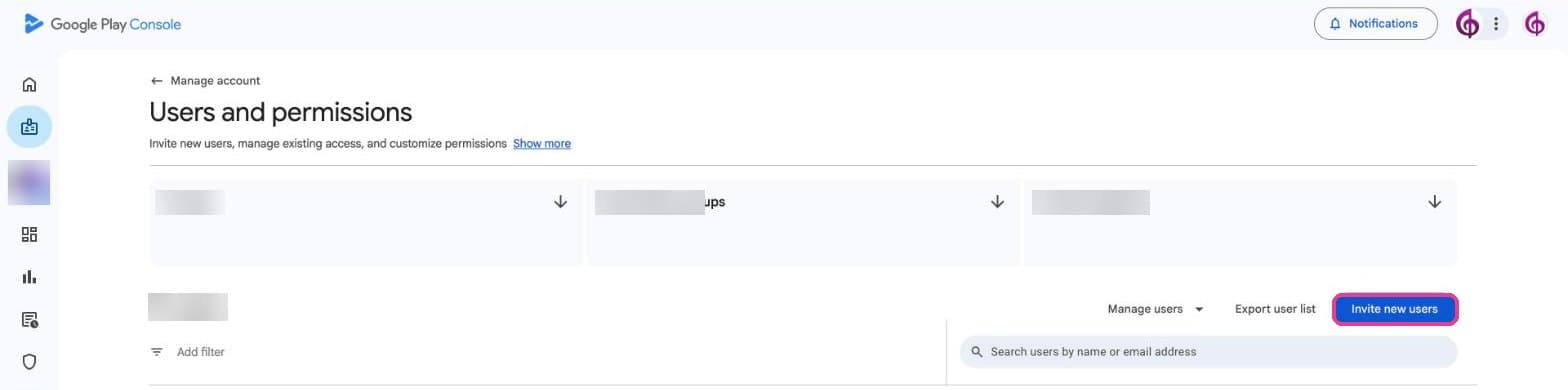
- 1Press Invite new users.
- 1In Email address, paste
nobex-publisher@nobex-streaming.iam.gserviceaccount.com(your checklist has a copy button). - 2Open Account permissions and tick Admin (all permissions).
- 3Press Invite user, then Send invite.
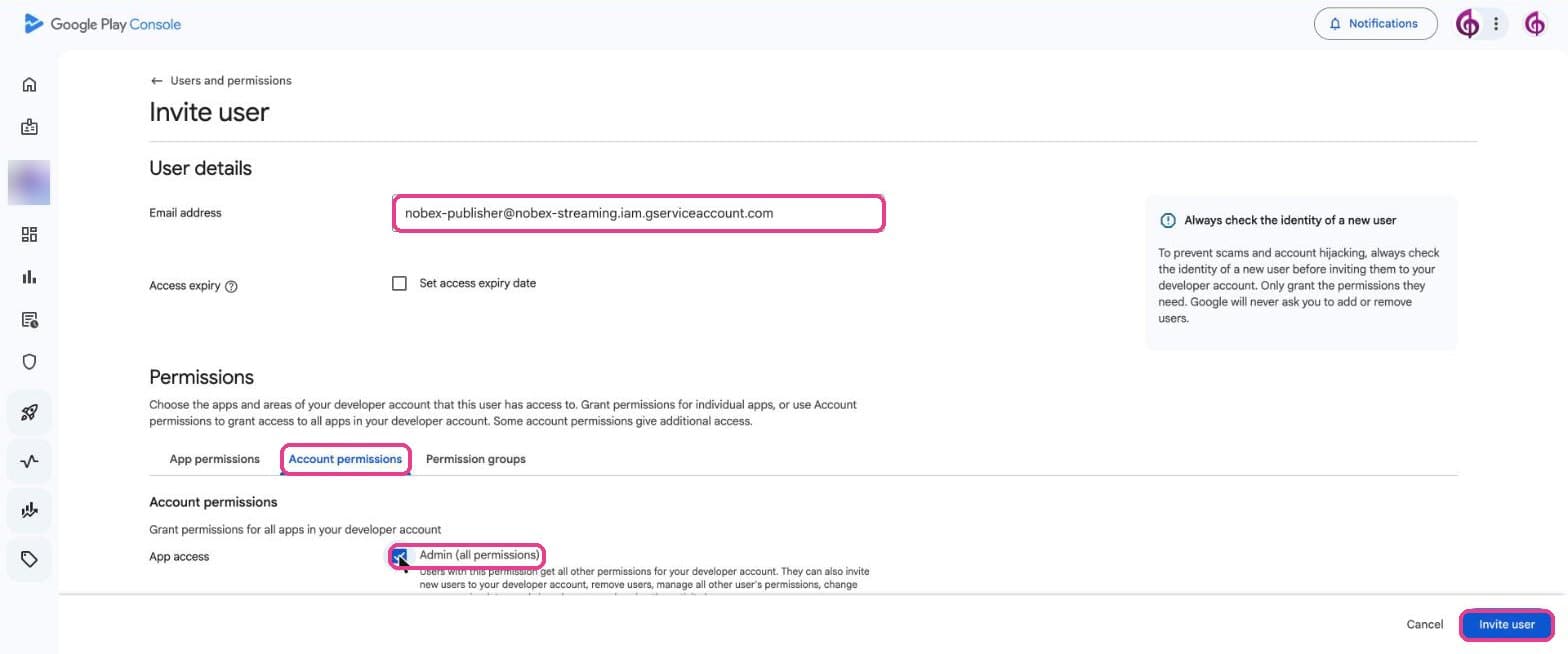
There is nothing to accept: it is a publishing account, not a person. Access usually starts within minutes.
3. Tell us your Account ID
It is the long number under your account name, on the Play Console home page and on Manage account. It is also in the address, after /developers/.

Paste it on your checklist (the whole address works too) and press I invited Nobex, check. We then start making your Android app.
Why Admin?
Publishing touches releases, the store listing, the content forms and the review. Admin covers them all, so we don’t have to ask you again for each one. Some actions stay with you, the account owner, such as the payments profile.
How do I remove Nobex?
Users and permissions → the Nobex address → Manage → remove the user. Your app stays in your account.
Keep reading
Ready to put this into practice?
Start free and be on air in under five minutes — no software to install.Pick a plan and be on air in under five minutes — no software to install.
Start streaming freeStart streaming